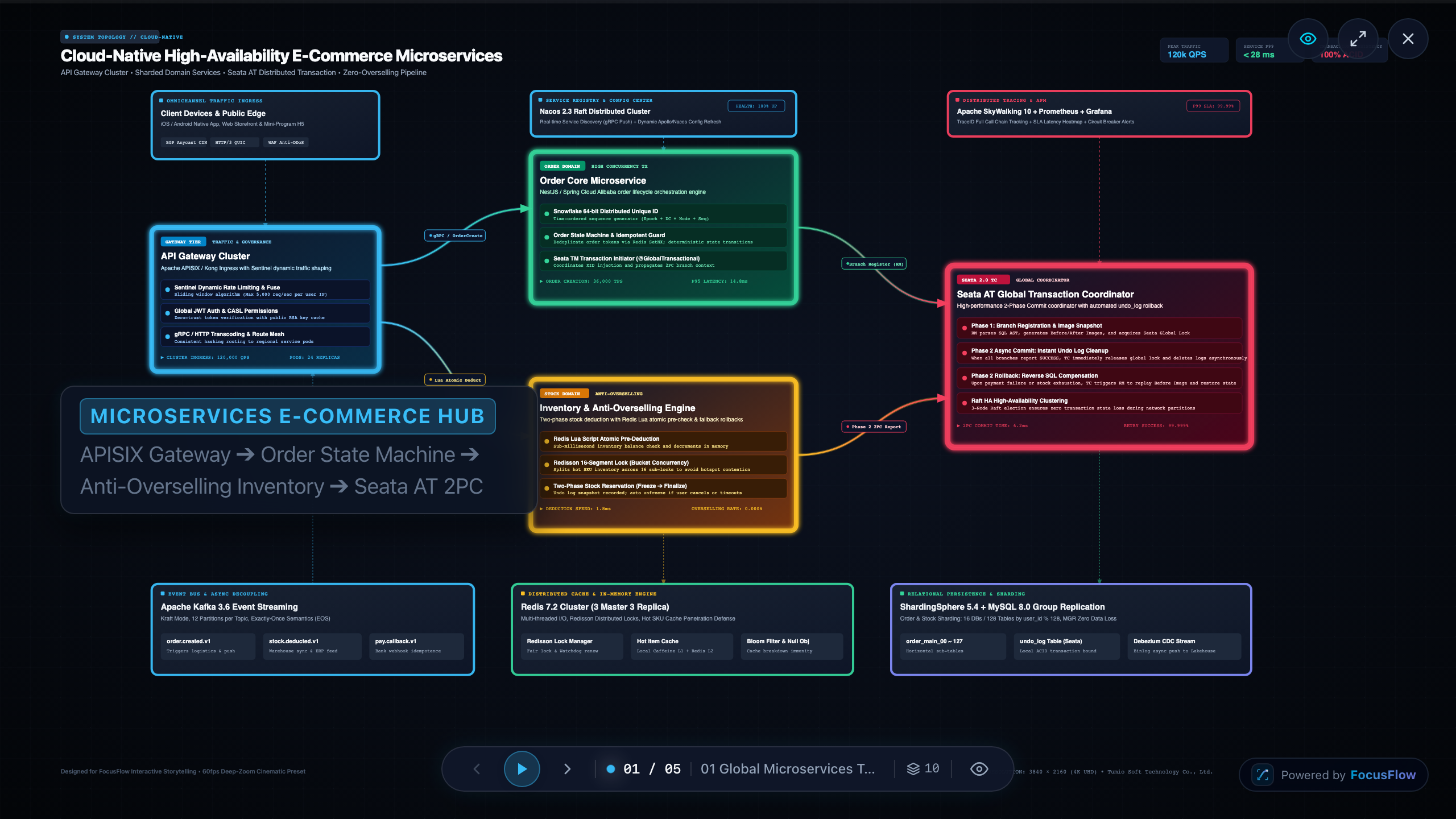
Building a 60fps Canvas Frustum Camera for 4K System Architecture Presentations
When presenting intricate microservices, Kubernetes topologies, or distributed event buses to engineering teams, static diagrams often fail to convey runtime flows, while traditional slide decks lack the spatial pan-and-zoom context needed for architectural depth.
We built FocusFlow—an open-source, canvas-native presentation studio designed specifically for high-framerate system architecture walkthroughs. In this post, we'll dive into the math, architecture, and rendering performance optimizations behind FocusFlow's custom Canvas 2D frustum camera.
1. The Architectural Challenge: Why Not WebGL or DOM?
Modern web presentation tools usually take one of two approaches:
DOM/SVG-heavy trees: Each box or arrow is an HTML element or SVG node. While flexible and easy to style with CSS, animating 500+ elements across 4K displays quickly chokes layout passes and composition layers, causing frame drops below 30fps.
Heavyweight 3D WebGL (Three.js/Babylon): Excellent for 3D shaders and meshes, but overkill for crisp 2D vector diagrams, text anti-aliasing, and sub-pixel snapping. It also introduces substantial memory overhead on lower-end laptops.
We chose pure Canvas 2D with hardware-accelerated offscreen composition, governed by a virtual camera model that treats system architecture diagrams as continuous spatial worlds.
2. The Frustum Camera & Smooth Matrix Interpolation
Instead of moving each diagram node individually, the camera calculates a global 2D affine transformation matrix for each frame.
Given a target node bounding box \(B = {x_{min}, y_{min}, x_{max}, y_{max}}\) and viewport dimensions \(V = {W, H}\), the camera solves for optimal padding and bounding center:
export interface BoundingBox {
  minX: number;
  minY: number;
  maxX: number;
  maxY: number;
}

export interface ViewportSize {
  width: number;
  height: number;
}

export function computeTargetFrustum(box: BoundingBox, viewport: ViewportSize, padding = 0.15): { x: number; y: number; zoom: number } {
  const boxWidth = box.maxX - box.minX;
  const boxHeight = box.maxY - box.minY;
  const centerX = (box.minX + box.maxX) / 2;
  const centerY = (box.minY + box.maxY) / 2;

  const availableWidth = viewport.width * (1 - padding * 2);
  const availableHeight = viewport.height * (1 - padding * 2);

  const zoomX = availableWidth / Math.max(boxWidth, 1);
  const zoomY = availableHeight / Math.max(boxHeight, 1);
  const zoom = Math.min(zoomX, zoomY, 3.0); // Clamped to max 3.0x zoom

  return {
    x: viewport.width / 2 - centerX * zoom,
    y: viewport.height / 2 - centerY * zoom,
    zoom,
  };
}
Critically Damped Spring Interpolation
Standard linear (lerp) interpolation feels robotic, while CSS ease curves can feel disconnected when interrupted mid-flight by user interactions. FocusFlow employs a critically damped spring physics solver for smooth camera transitions:
export class SpringCamera {
  private currentX = 0;
  private currentY = 0;
  private currentZoom = 1;

  private targetX = 0;
  private targetY = 0;
  private targetZoom = 1;

  private vx = 0;
  private vy = 0;
  private vZoom = 0;

  private readonly stiffness = 180;
  private readonly damping = 26;

  public update(dt: number) {
    // Spring physics step
    const ax = this.stiffness * (this.targetX - this.currentX) - this.damping * this.vx;
    const ay = this.stiffness * (this.targetY - this.currentY) - this.damping * this.vy;
    const az = this.stiffness * (this.targetZoom - this.currentZoom) - this.damping * this.vZoom;

    this.vx += ax * dt;
    this.vy += ay * dt;
    this.vZoom += az * dt;

    this.currentX += this.vx * dt;
    this.currentY += this.vy * dt;
    this.currentZoom += this.vZoom * dt;
  }
}
3. Spatial Boundary Caching & Cull Optimization
Rendering complex architecture diagrams at 60fps requires aggressive view-frustum culling. Every node whose bounding box lies outside the visible viewport is omitted from the draw pass:
export function isNodeVisible(nodeBox: BoundingBox, viewportBox: BoundingBox): boolean {
  return !(
    nodeBox.maxX < viewportBox.minX ||
    nodeBox.minX > viewportBox.maxX ||
    nodeBox.maxY < viewportBox.minY ||
    nodeBox.minY > viewportBox.maxY
  );
}
With spatial partitioning (R-tree), scene query times drop from \(\mathcal{O}(N)\) to \(\mathcal{O}(\log N)\), keeping the total per-frame render loop well under 8ms even with thousands of architecture components.
4. Try It Live & Source Code
FocusFlow is fully open-source under MIT:
Live Interactive Demo: https://focusflow.tumio.site
GitHub Repository: https://github.com/tumio-ltd/focusflow
We are actively developing timeline markers and audio-sync narration features for upcoming v1.1 releases. We'd love your thoughts and feedback!
Comments
Join the discussionNo comments yet. Be the first to comment.